
Summary
Editor's rating
Is It Worth the Money Compared to Other Purifiers?
Compact Tower Design with Gimmicky but Fun Lights
Noise, Sleep, and Day-to-Day Use
Build Quality, Maintenance, and Long-Term Thoughts
Real-World Performance: Dust, Smells, and Noise
What You Actually Get and Who It’s For
Does It Actually Improve Air Quality or Is It Just a Fancy Fan?
Pros
- Very quiet on low and sleep modes, suitable for light sleepers
- Useful smart features: app control, PM2.5 monitoring, auto mode that actually reacts
- Compact 360° design with easy filter access and decent build quality
Cons
- Highest fan speed is clearly loud and not ideal for quiet rooms
- Coverage claims (up to 90 m²) are optimistic for fast air cleaning; best for smaller rooms
- App can feel a bit overloaded with features if you just want simple controls

Specifications
View full product page →| Brand | DREO |
A Small Smart Purifier That Tries to Do It All
I’ve been running the DREO 530S air purifier in my bedroom and living area for a couple of weeks, basically 24/7, just to see if it actually changes anything or if it’s just another gadget with an app. I’ve used a few air purifiers before (Levoit and a cheap no-name one), so I wasn’t coming in fresh. I mainly wanted less dust on furniture, fewer pet smells, and something quiet enough to sleep next to without wanting to throw it out the window.
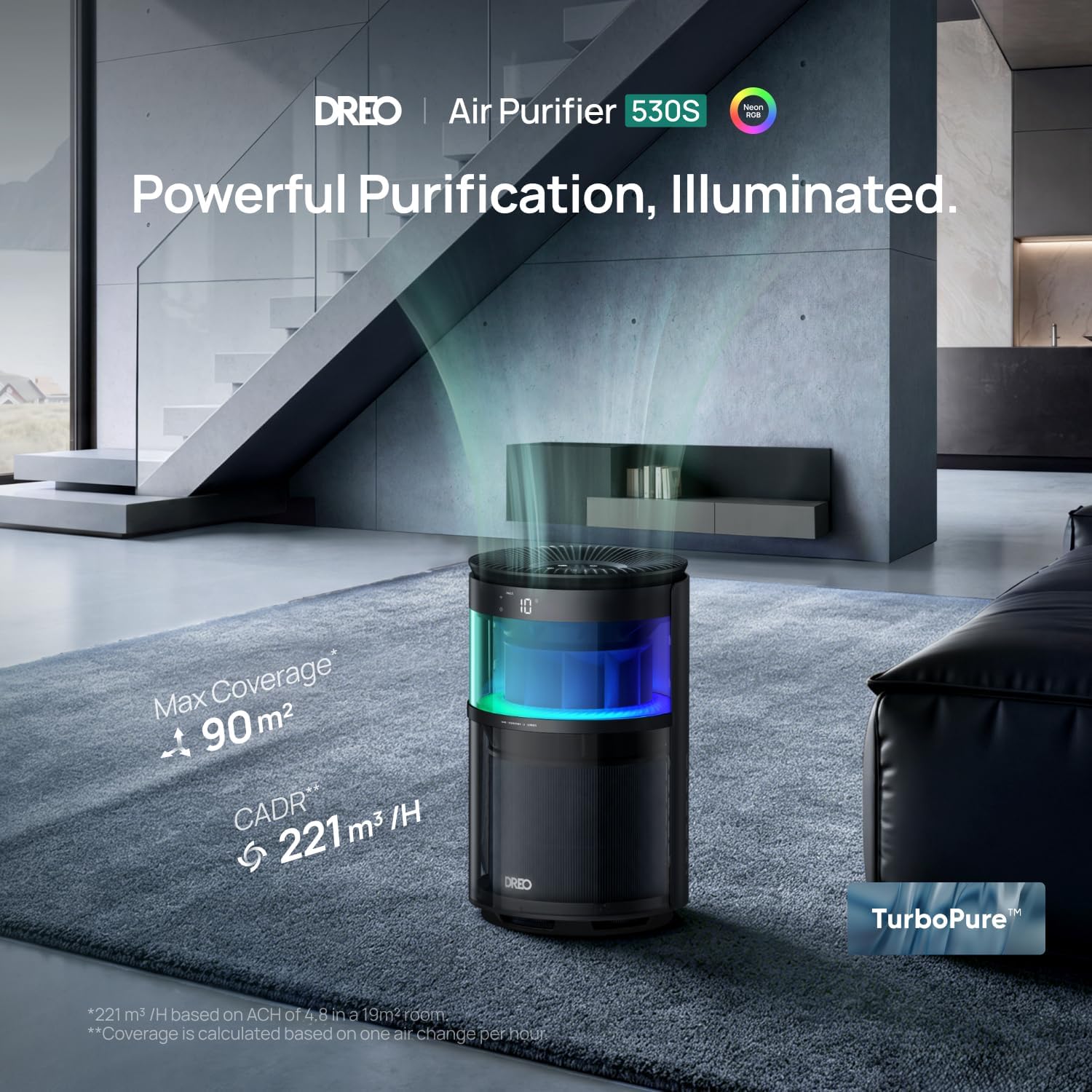
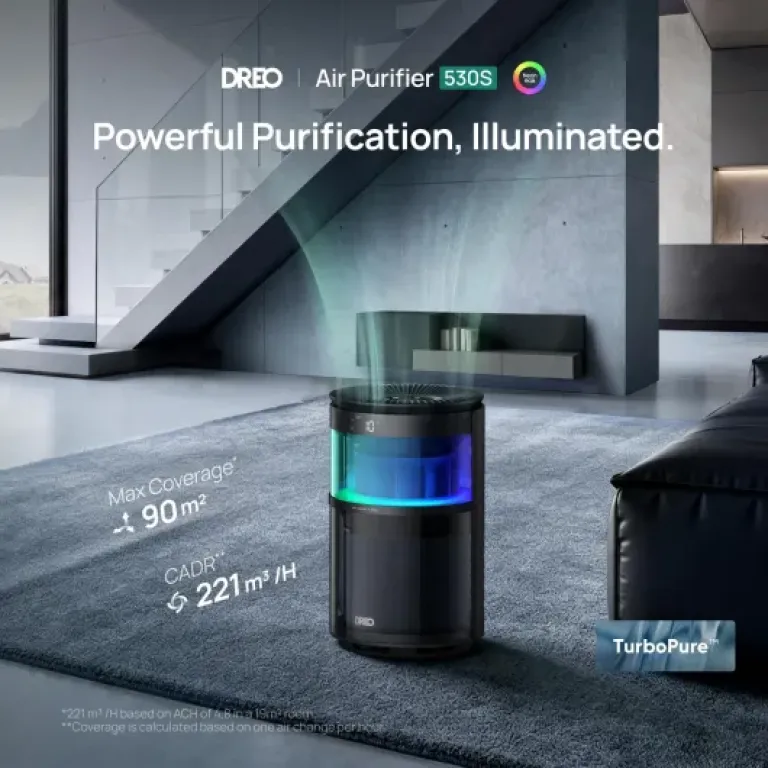
On paper, this one looks pretty solid: HEPA filter, 3‑stage filtration, app control, Alexa/Google compatibility, RGB lighting, and a claimed 18–24 dB in sleep mode. CADR is 221 m³/h, which is decent for a bedroom or medium‑size room, not a whole house. So I went in with moderate expectations: I wanted it to clean the air properly and stay out of the way. Fancy lights and app graphs are nice, but if the room still smells like dog and dust builds up the same as before, then it’s useless.
After using it daily, I’d say it does what it’s supposed to do, but it’s not magic. It’s quiet on low, it does help with smells and dust, and the app is actually useful once you get past the initial setup. But it’s not perfect. The high fan speed is clearly audible, and the whole smart feature set can feel a bit overkill if you just want to press one button and forget about it. Also, coverage claims (90 m²) are optimistic unless you accept very slow air changes.
Overall, my feeling is: this is a pretty solid bedroom air purifier if you care about noise and like having app control and data. If you’re super picky about instant air quality changes or you want to clean a very large open space, you might end up a bit underwhelmed. It gets the job done, but it’s not some miracle machine that will turn a smoky room into mountain air in five minutes.
Is It Worth the Money Compared to Other Purifiers?
In terms of value, this sits in that mid-range zone. It’s not the cheapest purifier you can get, but it’s also not in the premium Dyson price bracket. For the cost, you’re paying for a few things beyond just a fan with a filter: the smart app, the PM2.5 sensor, the quiet motor, and the RGB lighting. The question is whether you’ll actually use those extras. If you’re never going to open the app and you don’t care about data or lights, then a simpler HEPA purifier without Wi‑Fi might give you similar air cleaning for less money.
Compared to brands like Levoit at similar CADR levels, DREO is competitive. The 221 m³/h CADR is decent for bedrooms and small living rooms, and AHAM verification is a plus because it means the numbers are not just marketing. Filter replacement cost is something to keep in mind: you’ll have to buy DREO filters, and while they’re not dirt cheap, they’re in the same ballpark as other branded filters. If you run it 24/7, expect to change filters every 6–12 months depending on how dirty your environment is.
Where it earns points for value is the noise level and the app. A lot of cheaper purifiers are either louder or have weak sensors and no real auto mode. Here, you can actually let it run in auto and forget about it. The 30‑day air quality reports are a bit of a gimmick, but they’re interesting if you like seeing how things change when you open windows, cook, or use candles. For some people, that alone justifies a bit of extra cost.
Overall, I’d say value is good but not mind-blowing. You’re getting a well-rounded product with smart features and decent performance. There are cheaper options if you just want basic filtration, and there are more powerful units if you need higher CADR for big spaces. If your priority is a quiet, smart purifier for a bedroom or home office, the price makes sense. If you’re on a tight budget and don’t care about apps or lights, you can probably save money with a simpler model and still breathe fine.
Compact Tower Design with Gimmicky but Fun Lights
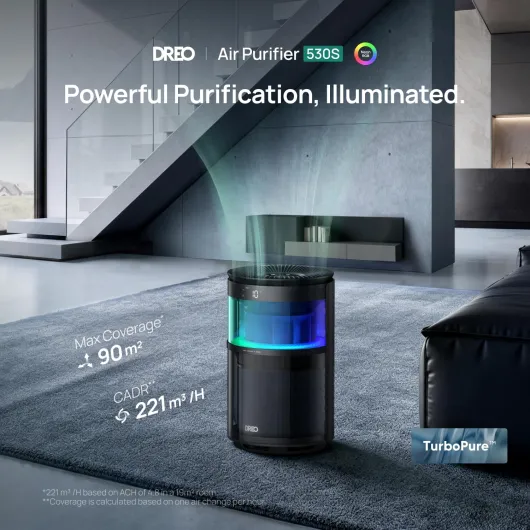
Design-wise, the DREO 530S is pretty compact: about 24 × 24 cm footprint and 39 cm tall, so it’s more like a small tower than a huge block. In black, it looks discreet enough in a bedroom or living room. It doesn’t scream “medical device” like some big white purifiers. I could tuck it between a dresser and the bed without it being in the way. At around 7.15 pounds (just over 3 kg), it’s easy to move from room to room with one hand.
The controls are on top: touch buttons for power, fan speed, mode (auto, sleep), light settings, and so on. The touch controls are responsive, not laggy. There’s also an LED display that shows PM2.5 levels and status icons. One thing to note: someone on Amazon complained about no digital readout—on this model, the PM2.5 readout is there, but like with many devices, if you’re in certain modes or if the light is dimmed, it might not be super obvious. Personally, I had no trouble seeing the numbers from a couple of meters away in normal room light.
The RGBIC ambient light is basically a ring around the top that can show 8 lighting effects. It’s not essential, but I ended up using it as a kind of soft night light in the bedroom. You can set static colors or effects and you can turn it completely off in sleep mode, which is important if you hate light when sleeping. The PM2.5 status is also color-coded, so at a glance you can tell if the air is good or not without reading the exact number.
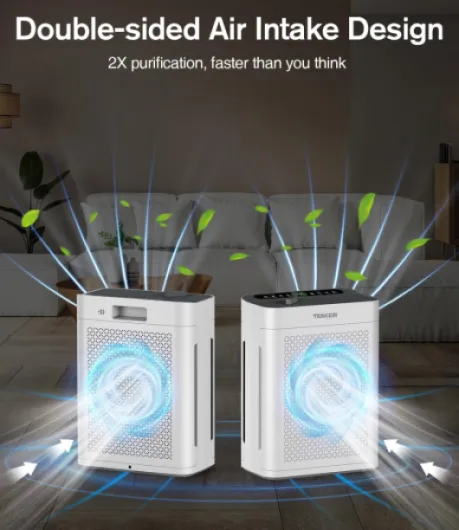
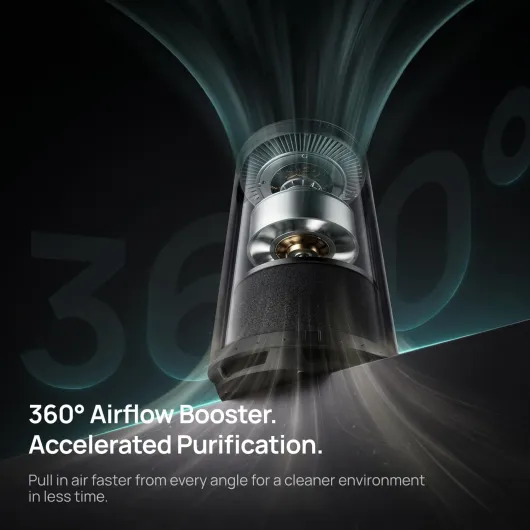
In terms of layout, the 360° air intake and top exhaust make sense. You don’t have to worry too much about which direction it faces; just give it some breathing space around. The design is functional and low profile. It’s not a design piece you’ll brag about, but it blends in, doesn’t take much floor space, and is easy to place near a bed or desk. If you prefer completely minimal devices with no lights at all, you might find the RGB a bit gimmicky, but at least you can turn it off.
Noise, Sleep, and Day-to-Day Use
For comfort, the main question is: can you sleep next to it without going insane? For me, yes. On sleep mode, it’s genuinely very quiet. The spec says 18 dB at the lowest, and while I can’t measure that exactly, subjectively it’s just a soft airflow sound, quieter than most fans or older purifiers I’ve had. I’m a light sleeper and usually notice every little hum, but this one didn’t bother me once I got used to it. If you’re used to total silence, you’ll still hear something, but it’s more like white noise.
The light situation is handled pretty well. You can turn off the RGB lights and dim or switch off the display in sleep mode, so you don’t have a bright blue UFO in your room at night. This is something a lot of brands mess up. Once I set sleep mode and display dimming, I basically forgot it was there. If you like a bit of light, you can keep a low ambient color on, but I preferred everything off at night.
Day to day, using it is simple once you’ve set it up. I mostly used three things: auto mode during the day, sleep mode at night, and occasionally bumping it to high when I noticed a smell (like after cooking or cleaning with strong products). The touch controls are clear, and the app makes it easy to change things from bed or the couch. I didn’t really use voice control much, but I tried Alexa once just to check and it worked: “set air purifier to speed 3” and it responded correctly.
In terms of living with it, the size helps. It doesn’t take over the room, and because it pulls air from all sides, you don’t need to constantly move it around to “face” the source of smell or dust. The only small comfort downside is that at the highest fan speed it’s too loud for quiet activities like reading in bed if you’re noise-sensitive. But honestly, you rarely need that top speed unless the air is really bad. Overall, for comfort and daily use, it’s pretty user-friendly and non-intrusive, which is what you want in a bedroom purifier.
Build Quality, Maintenance, and Long-Term Thoughts
I obviously haven’t had this thing for years, so I can’t pretend to know exactly how long it will last, but I can comment on build quality and how it feels compared to other purifiers I’ve owned. The plastic casing feels solid enough, not super premium but not flimsy either. There’s no creaking when you move it around, and the top panel doesn’t flex under normal use. For a device made in China in this price range, it’s in line with what I’d expect, maybe slightly better than the really cheap generic brands.
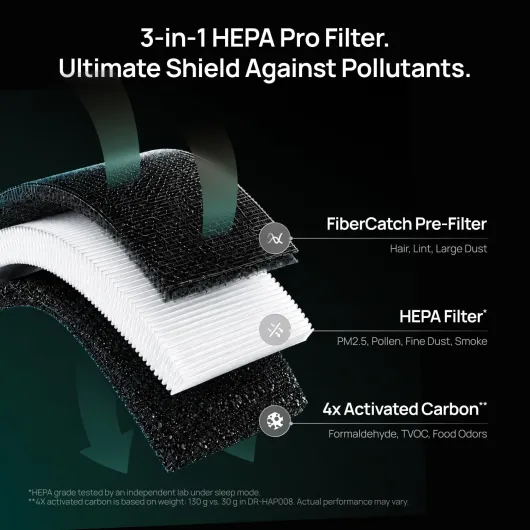
Filter access is straightforward: you open the bottom, pull the cylindrical filter out, and swap it. No tools, no drama. This matters because you’ll actually do it every few months if you use it regularly. The app tracks filter life, which is more useful than a simple timer because it can adjust based on actual use. I checked the filter after about two weeks of daily use, and there was already a visible layer of dust and some hair stuck to the pre-filter, which is a good sign that it’s catching stuff.
As for the motor and noise over time, I can’t say how it will behave after a year, but BLDC motors are usually more reliable and quieter than old-school AC motors. That’s probably part of why it can run so quietly in sleep mode. The fan didn’t develop any rattles or weird vibrations during my tests, even after moving it around a few times and running it on high. If you keep it reasonably clean (wipe the exterior, vacuum the pre-filter occasionally), I don’t see an obvious weak point that would break quickly.
Long-term cost is more about filters than the unit itself. If you’re okay with buying genuine filters and not trying to hack in cheap knockoffs, then maintenance is simple. The only durability concern I could see is with the touch panel or Wi‑Fi module over several years, but that’s true of any smart device. Overall, it feels like a solid mid-range appliance: not bulletproof industrial gear, but good enough for regular home use without feeling toy-like.
Real-World Performance: Dust, Smells, and Noise
Performance is where you see if this thing is worth the money or just a fancy fan. I ran it mainly in a bedroom with one person sleeping, plus a dog that sneaks in sometimes, and then in a living room where cooking smells and outside pollution sneak in through the windows. On auto mode, the PM2.5 readings in my bedroom usually stayed between 4 and 10, which is pretty clean. When I opened the window on a busy street, I saw it jump to 30–40, the fan sped up, and within 20–30 minutes it was back down under 10. So the sensor and the auto mode do something real, not just decoration.
For dust, I noticed a bit less dust settling on the bedside table and shelves after about a week. It’s not like the room became dust-free, but compared to when I turned it off for a couple of days, the difference was noticeable. Same for pet dander and hair: the pre-filter catches a good amount of fluff. If you have multiple pets, like that reviewer with four dogs, it won’t erase pet life from your home, but it clearly helps take the edge off smells and floating hair, especially if you keep it on continuously at low speed.
Smell control is decent. I tested it after cooking and also with some lingering dog smell after a rainy walk. On higher speeds, it clears cooking odors in maybe 30–45 minutes in a medium living room. It’s not instant, but it’s better than just opening a window, especially in winter. For cigarette smoke, it helps, but don’t expect miracles if someone is actively smoking in the same room. It’s better at cleaning up the air after the fact than making smoke disappear as it’s produced.
As for speed vs. noise: on low and sleep mode, it’s very quiet and blends into background noise. On medium, you hear a soft whoosh, still fine for TV or working. On high, it’s clearly audible and a bit too loud for sleep, in my opinion. That lines up with the Amazon review saying the highest speed is noticeably louder. I ended up using auto mode during the day and sleep mode at night, and that struck a good balance. Overall, it gets the job done for normal household dust, smells, and general air freshness, but if you expect super aggressive cleaning in a huge room, the CADR just isn’t big enough for that.
What You Actually Get and Who It’s For
Out of the box, the DREO 530S is pretty straightforward: the unit itself, the filter already inside (you still have to unwrap the plastic), a power cable, and a basic manual. No extra filters or fancy accessories. Setup took me maybe 10 minutes including downloading the app, making an account, and pairing it to Wi‑Fi. It connected on the first try, which is already better than some smart devices I’ve fought with in the past.
On the spec side, here’s what actually matters in real life: CADR 221 m³/h (130 CFM), HEPA filter that catches 0.3 μm particles, and an activated carbon layer for smells and VOCs. The brand claims it can cover up to 90 m², but that’s at 1 air change per hour. In practice, for decent cleaning (4–5 air changes per hour), I’d keep it to something like a 20–25 m² bedroom or home office. I used it in a roughly 16 m² bedroom and a 25 m² living room, and it felt well-sized for those.
The smart side is what sets it apart a bit: app control, Alexa/Google compatibility, PM2.5 sensor with real‑time numbers, and 30‑day air quality reports. You can schedule it, change fan speeds, and check filter life from your phone. It’s not essential, but it’s handy if you like tinkering with settings or if you’re lazy on the couch and don’t want to get up. There’s also an ambient light ring you can customize, which is more of a “nice to have” than a must.
Who is this for? Honestly, people who want a quiet bedroom purifier with some smart features and who don’t mind paying a bit more than for a dumb basic unit. If you don’t care about apps or voice assistants, you can probably find something cheaper that just has a HEPA filter and manual controls. If you’re obsessed with air quality data and want high CADR for big spaces, this might feel a bit small. It sits in that middle zone: good enough performance, decent price, tech features that are useful but not life‑changing.
Does It Actually Improve Air Quality or Is It Just a Fancy Fan?
This is the real question: do you feel any difference, or is it just numbers on a screen? Personally, after a few days, I did notice the bedroom felt less stuffy in the morning. Less of that “closed room” smell when you wake up. The combination of HEPA and carbon filter seems to do its job. The PM2.5 monitoring isn’t just for show either. When I did small “tests” like spraying deodorant or opening the window onto a busy street, the PM2.5 number climbed, the ring color changed, and the fan ramped up automatically. After a while, the reading went back down and the fan slowed.
Compared to a basic non-smart purifier I used before, this one gave me more confidence that it was actually reacting to changes in the air instead of just spinning at one speed. The 3‑stage filtration (pre‑filter, HEPA, carbon) is standard but effective. It will help with:
- Dust and pet dander: less visible dust on surfaces and filters full of fluff after a week or two.
- Everyday odors: cooking, pets, sweat, cleaning product smells get reduced faster.
- Fine particles: PM2.5 from outside pollution or smoke goes down over time.
That said, it’s not magic. One Amazon reviewer said they felt no change and returned it. I can see that happening if your expectations are off or if you put it in too big a room and run it on low expecting miracles. Air purifiers work gradually, and you notice the difference more over days than minutes, unless the air quality is really bad when you start. If your nose is not very sensitive or your home is already fairly clean, the effect will be more subtle.
For me, the effectiveness is solid but not mind-blowing: less dust, fewer smells hanging around, and better air readings according to the sensor. If you expect it to eliminate all allergies or completely remove cigarette smoke while someone is actively smoking, you’ll be disappointed. If you want general cleaner air, fewer lingering odors, and some data to back it up, it does the job properly for a small to medium room.
Pros
- Very quiet on low and sleep modes, suitable for light sleepers
- Useful smart features: app control, PM2.5 monitoring, auto mode that actually reacts
- Compact 360° design with easy filter access and decent build quality
Cons
- Highest fan speed is clearly loud and not ideal for quiet rooms
- Coverage claims (up to 90 m²) are optimistic for fast air cleaning; best for smaller rooms
- App can feel a bit overloaded with features if you just want simple controls
Conclusion
Editor's rating
The DREO 530S is a quiet, competent air purifier aimed at bedrooms and small to medium rooms. It doesn’t do anything magical, but it does the basics well: decent CADR, real HEPA filtration, carbon for smells, and a sensor that actually reacts to changes in air quality. The big pros in daily life are the low noise in sleep mode, the small footprint, and the fact that you can just leave it in auto most of the time and forget about it. The app and voice control are genuinely useful if you like tech and want to see PM2.5 numbers and filter status without walking over to the unit.
On the downside, the highest fan speed is noticeably loud, the app can feel a bit cluttered with features you may never use, and the coverage claims are optimistic if you care about fast air cleaning in large spaces. It’s best treated as a solid bedroom or office purifier, not a whole‑house solution. Also, if you don’t care about smart features or lights, you might find similar raw filtration for less money from simpler models.
So who should get it? People who want a quiet smart purifier for a bedroom, nursery, or home office, who appreciate seeing real-time air quality data and who are okay paying a bit more for those extras. Who should skip it? If you just want the cheapest thing that filters air and you’ll never open an app, look at basic non‑smart HEPA purifiers. If you need to handle smoke or pollution in a big open plan room, go for something with a higher CADR. For its intended use, though, the DREO 530S is a pretty solid, no‑nonsense option that gets the job done without too much fuss.