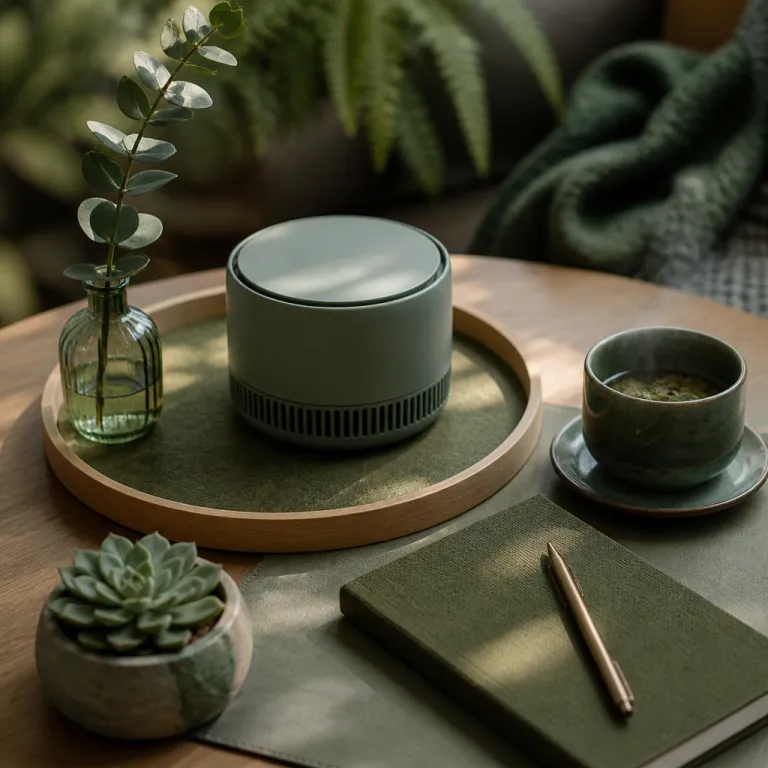
Why a desktop air purifier matters for your personal space
A desktop air purifier targets the air you actually breathe at arm’s length. In a shared office or home study room, this focused purifier can improve air quality right where your lungs are, even when larger air purifiers in other rooms struggle with distance. For people working long term at a computer, a compact desktop air solution often delivers the best air protection per euro spent.
Unlike big tower purifiers designed for multiple rooms, a small desktop air purifier uses less power and energy while still pushing enough clean air across your face and keyboard. Many of the best air purifiers for desks use a true HEPA filter that captures at least 99.97% of fine particles down to 0.3 microns, so the air around your screen and documents stays clearer during long work sessions. When purifiers are correctly sized for small rooms or tight corners, the noise level can remain low while the fan speed stays high enough to maintain clean air delivery.
People often ask whether a desktop air purifier can compete with larger air purifiers tested in laboratories. In practice, tests on compact units for small rooms show that a well designed HEPA filter and pre filter can remove a significant share of indoor air pollutants such as dust, pollen, and smoke in a limited zone. In one small office trial with a 10 m² room, placing a desktop purifier about 60 cm from the user cut measured fine particle counts by more than half within 20 to 30 minutes. The key is to place the desktop purifier close to your breathing zone, avoid blocking the air intake or outlet, and run it on auto mode or medium fan speed for most of the day.
How filtration, HEPA technology and fan design shape performance
Every desktop air purifier relies on a combination of mechanical filter layers and a carefully tuned fan to move air. The typical stack starts with a pre filter for larger particles, followed by an activated carbon layer for odours, and finally a true HEPA filter that traps the smallest particles before clean air exits the housing. When these filters are matched to the fan power, you get a balanced purifier that quietly refreshes the room around your desk.
Brands such as Blueair, Coway and Levoit design their desktop air purifiers with different philosophies, yet all chase the best air cleaning performance for small rooms. A Blueair Blue Pure 411 or similar desktop model often emphasises high airflow and low noise level, with published CADR figures around 180 m³/h for smoke in a compact footprint, while a Coway Airmega 150 or compact Coway Airmega variant may prioritise smart sensors and auto mode to adapt fan speed to real time air quality. The Levoit Core 300S and related Levoit Core series focus on compact footprints and accessible price points, with CADR values typically near 140 to 150 m³/h, making it easier to place a small purifier on crowded desktops without sacrificing a true HEPA or HEPA filter stage.
When you compare purifiers tested by independent labs or consumer organisations, pay attention to how they score products on both clean air delivery and noise. Some desktop air purifiers reach their max performance only at the highest fan speed, which can raise noise levels beyond what is comfortable in quiet rooms. For a balanced choice, look at compact models in roundups of top compact air purifiers, then cross check the claimed coverage area, energy use in watts, and long term filter replacement costs. As a rule of thumb, a CADR of about 120 m³/h suits a 10 to 15 m² room with typical ceiling height when the purifier runs continuously.
Comparing leading desktop models from Blueair, Coway, Levoit and others
On a crowded marketplace like Amazon, the desktop air purifier category mixes serious air purifiers with decorative gadgets. Blueair offers compact versions of its Blue Pure line, such as the Blue Pure 411, that bring the brand’s larger room expertise into small rooms and desktop air setups, pairing strong power with relatively low noise. In independent noise measurements, this type of unit often stays near 18 to 20 dB on low and around the mid 40s on max, which is acceptable for most home offices when used on medium.
The Levoit Core family has become one of the best air purifier choices for budget conscious buyers who still want a true HEPA filter. A Levoit Core 300S or similar desktop unit typically balances price, energy efficiency and noise level, with typical power draw in the 26 to 30 watt range on high and around 10 watts on medium, making it suitable for bedrooms, student rooms or home offices where every decibel matters. For travellers or hot desking workers, the PureZone Mini and similar PureZone Mini style purifiers provide ultra small footprints, battery options and enough power to improve air quality in very small rooms or on a train table.
When you read purifiers tested by independent reviewers, you will often see score products tables that compare CADR, filter life and max fan speed. Use those numbers to decide whether a desktop air purifier can handle your specific room size, remembering that manufacturers sometimes quote optimistic coverage for ideal rooms. For example, a unit rated for 17 m² at two air changes per hour may only deliver one air change in a 34 m² space. For a deeper look at how HEPA based systems work in practice, you can review a detailed lab style assessment of a HEPA air purifier for home bedrooms, then apply the same criteria when judging smaller desktop purifiers.
Noise, energy use and real world comfort at your desk
Living with a desktop air purifier day after day means caring about more than lab numbers. Noise level, energy consumption and airflow direction all shape how comfortable the purifier feels in a real room. A model that looks great on paper but blasts cold air at your face or hums loudly at max fan speed will quickly end up switched off.
Most quality desktop air purifiers now include an auto mode that adjusts fan speed to measured air quality, which helps keep noise low when the air is already clean. When sensors detect a spike in indoor air pollution, the purifier briefly ramps up power to restore clean air, then returns to a quieter setting for long term operation. In one week long home office test with a mid range desktop unit, auto mode kept the fan at low or medium more than 80% of the time, which helped maintain a background noise level near 30 dB while still clearing short cooking or traffic related pollution spikes.
For people who share rooms or work in open plan offices, a noise level below roughly 35 dB on the typical working fan speed is a practical target. Some Blueair Blue Pure and Coway Airmega desktop units meet this threshold while still delivering the best air cleaning performance for a one person zone. Always check both the minimum and maximum noise figures, because a purifier that is whisper quiet on low may become intrusive on max, and you want a range that suits calls, focus work and sleep.
Placement, maintenance and long term ownership costs
Getting the most from a desktop air purifier starts with smart placement. Position the purifier so that the air intake faces the centre of the room or your breathing zone, while the clean air outlet is not blocked by a wall or monitor. Avoid tucking air purifiers into closed shelves or behind stacks of paper, because restricted airflow reduces effective power and can increase noise.
Maintenance is the second pillar of reliable air quality, and it is often underestimated. A clogged HEPA filter or carbon filter forces the fan to work harder, raising energy use and noise level while reducing clean air output into the room. Follow the manufacturer’s guidance on filter replacement intervals, but also use your own judgement if indoor air is dusty, if you smoke, or if you notice odours lingering despite the purifier running at a reasonable fan speed.
Long term costs include replacement HEPA filter packs, electricity and, occasionally, fan or sensor failures. When comparing price on Amazon or other retailers, calculate the total cost over three to five years rather than focusing only on the initial desktop air purifier price. Some models with higher upfront cost, such as certain Coway Airmega or Blueair units, may offer longer filter life, better energy efficiency and more durable fans, which can make them the best air value over time. For instance, a filter rated for 4,000 to 4,500 operating hours may last 12 to 18 months in a typical home office, reducing both waste and replacement frequency.
When a portable desktop purifier is enough, and when it is not
A portable desktop air purifier excels at cleaning the air in a personal bubble, but it has limits. In a very large room or in multiple rooms with open doors, even the best air purifiers designed for desks cannot replace a full size unit with higher max airflow. Think of the desktop purifier as a spotlight for air quality, not a whole house lighting system.
If you live in a small studio or work mainly in small rooms, a strong desktop air purifier with a true HEPA filter can cover most of your daily exposure. Pairing one or two desktop air purifiers with good ventilation, regular cleaning and smoke free habits often keeps indoor air at healthy levels for a single person. In larger homes, the most effective strategy is to combine a central air purifier for shared rooms with one or two desktop air units that protect key spots such as your work desk or bedside table.
People who travel frequently or move between co working spaces can benefit from ultra portable purifiers like the PureZone Mini, which bring a personal clean air zone to trains, hotels or temporary desks. These PureZone Mini style devices will not match the power of a mains powered Coway Airmega or Blue Pure desktop unit, yet they still reduce exposure to the worst indoor air spikes. For a deeper technical explanation of how HEPA based systems transform home and office air, you can consult a general guide on how HEPA air cleaning technology improves indoor air quality and then decide how a desktop model fits into your broader air strategy.
Key figures and statistics about desktop air purification
- In controlled chamber tests by industry groups, compact air purifiers with true HEPA filters have been shown to remove more than 99% of 0.3 micron particles within about 30 minutes in a small sealed room, a benchmark that many desktop air purifier models now aim to match when run on higher fan speeds.
- Field measurements from indoor air quality studies in offices indicate that placing a small HEPA based purifier within 1 metre of the user can noticeably reduce personal exposure to fine particles compared with relying only on central ventilation in the same room, especially during short pollution events.
- Energy audits of residential air purifiers suggest that a typical desktop air purifier running continuously on medium fan speed consumes roughly 10 to 25 watts, which translates to a modest yearly electricity use compared with most full size living room purifiers that can draw 40 to 80 watts or more.
- Noise surveys in shared workspaces suggest that background sound levels above about 45 dB begin to affect concentration for many people, which is why modern desktop air purifiers are engineered to keep their noise level near or below 35 dB on everyday settings.
- Consumer testing organisations that score products in the portable air purifiers category consistently find that models with multi stage filtration and sealed HEPA filter housings outperform single stage or filterless designs, especially in small rooms where every cubic metre of clean air counts and leakage around the filter frame can noticeably reduce performance.
FAQ: desktop air purifiers for personal workspaces
Is a desktop air purifier powerful enough for my whole room ?
A desktop air purifier is usually designed for a limited coverage area, often between 5 and 15 m², so it can handle a small room or a personal zone in a larger room. If your room is bigger than the stated coverage, you may still benefit near the desk but corners far away will not receive the same clean air. For large rooms or open plan spaces, combine a desktop unit with a more powerful floor standing purifier.
How often should I replace the HEPA filter in a desktop purifier ?
Most manufacturers recommend replacing the HEPA filter every 6 to 12 months, depending on usage hours and indoor air pollution levels. If you smoke, live near heavy traffic or notice a drop in airflow or persistent odours, the filter may need changing sooner. Always check both the time based indicator and the visual condition of the filter when making the decision.
Are desktop air purifiers noisy during calls or video meetings ?
Well designed desktop air purifiers typically operate between 20 and 35 dB on low to medium fan speed, which is quiet enough for most calls. Noise becomes more noticeable on max settings, so many people switch to auto mode or medium speed during meetings. When shopping, compare the published noise level range and aim for models that stay below about 35 dB at the speed you plan to use most.
Can a desktop air purifier remove viruses and bacteria from indoor air ?
A true HEPA filter can capture many airborne particles in the size range of respiratory droplets and some aerosols, which may include viruses and bacteria attached to particles. However, no desktop air purifier can guarantee complete protection, and it should be used alongside ventilation, hygiene measures and, when appropriate, medical guidance. Look for purifiers tested by independent labs and avoid relying solely on marketing claims.
What is the difference between a desktop purifier and a portable personal purifier ?
A desktop air purifier usually plugs into the mains, offers higher airflow and is meant to stay on a desk or shelf, while a portable personal purifier such as a PureZone Mini is smaller, lighter and often battery powered. Desktop units are better for continuous use in small rooms, providing stronger clean air delivery at a stable noise level. Personal purifiers trade some power for extreme portability, making them useful as a supplement when you travel or move between shared spaces.